Remote Cloud Access
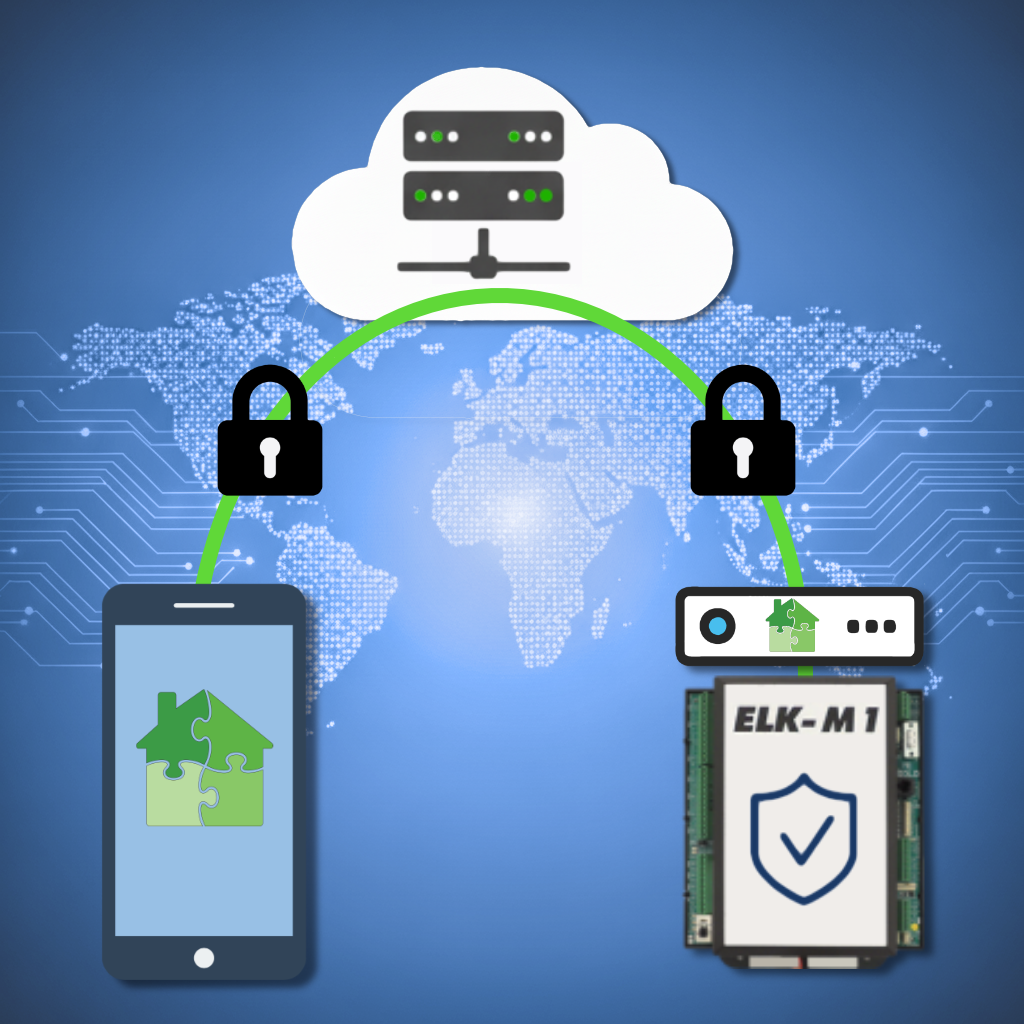
eKeypad Cloud Remote Access is different from classic router-based remote access. Classic remote access usually requires port forwarding, Dynamic DNS, and router configuration. eKeypad Cloud Remote Access avoids port forwarding by using an encrypted relay connection between devices you own and control.
Use eKeypad Remote Cloud Access when port forwarding is not available or unwanted. It is built for homeowners and installers who need private, encrypted access from iPhone or iPad, including locations with CGNAT, Double NAT, satellite internet, or cellular internet.
Easy, Private, and Secure
eKeypad Remote Cloud Access lets you control your Elk M1 system from iPhone or iPad without port forwarding, a public IP address, or Dynamic DNS.
It also works in complex network setups, including Carrier-Grade NAT and Double NAT. A local Personal Cloud Server stays on your network and creates encrypted outbound connections through the eKeypad relay service.
Your system data remains private. The relay server helps devices connect, but it does not store your configuration, credentials, or alarm data.
Key Features
Equipment Control
You own and control all equipment connected to your system. No third-party servers have access to your system.
No Port Forwarding
No router changes are required. Your Elk M1 system does not need to accept inbound internet connections.
No Public IPs
No need to purchase or setup a public IP Address from your internet provider.
No Dynamic DNS
No need to purchase, setup, or advertise the existence of your system in the public DNS network.
CGNAT and Double NAT
A full solution for internet providers that block incoming connections. Ideal for satellite and cellular internet.
End-to-End Encryption
All data transmitted between the client and server is encrypted. The eKeypad relay server has no access to the contents
Advanced Security Features
Protect your system from cyber threats, ensuring only authorized access. These tools add value by providing peace of mind, allowing you to remotely monitor your security with confidence, no matter where you are.
Random, Strong Encryption Keys
Secure keys are generated during setup and used to protect data from unauthorized access or tampering.
SSL Encrypted Connection
The local server and client devices communicate over SSL-encrypted connections.
Proximity-Based Pairing
Device setup requires physical proximity. Only you can pair new devices, authorizing them to connect to your cloud server.
One-Time Setup Codes
Wireless pairing with single-use codes simplifies configuration while enhancing security
Why eKeypad Remote Cloud Access?
This service combines robust security, user-friendly setup, and network adaptability to deliver an exceptional remote access experience. Whether you’re managing critical systems in high-security environments or navigating the challenges of modern networking, eKeypad ensures your devices remain accessible, private, and secure.

Hardware Requirement
You must purchase a dedicated device that will connect to your home network using a wired ethernet cable and run continuously as your Personal Cloud Server. This server will manage security, handle encrypted connections, and maintain seamless communication between your equipment and the iOS devices you carry with you.
Monthly Service Fee
A monthly service fee is required for access to the eKeypad Relay Server and data transfers. The eKeypad Relay Server access is an internet server that facilitates secure location and connections between the iOS devices you carry and your Personal Cloud Server. The data transfer is for the encrypted communications between your devices and your Personal Cloud Server.